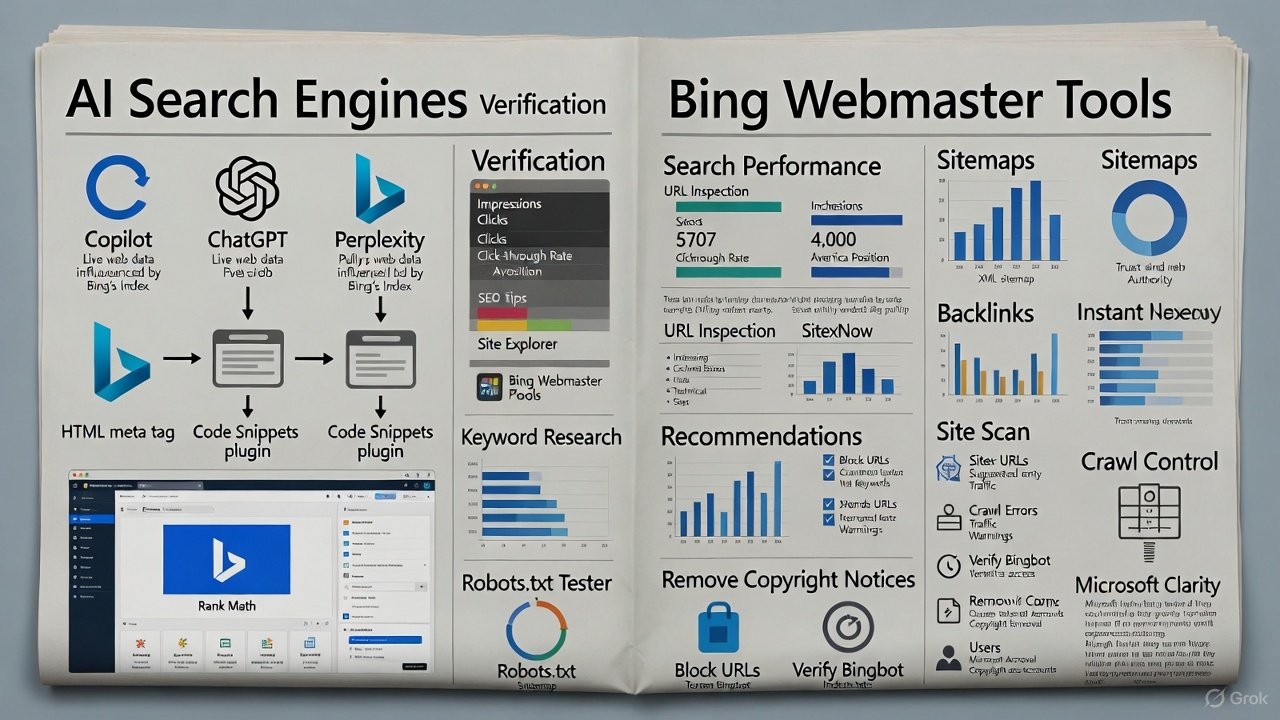
The search landscape is no longer limited to Google. Users are increasingly asking questions through AI interfaces—Copilot, ChatGPT, Perplexity, and much of this data comes from the Bing index.
If your site isn’t verified and optimized for Bing, you’re losing visibility across the entire Microsoft ecosystem: Edge, Windows Search, Copilot, LinkedIn AI, and other services.
Connecting to Bing Webmaster Tools isn’t “just another reporting dashboard.” It’s a way to get into Microsoft’s live AI search streams.
Connect Your Site to Bing Webmaster Tools
Bing Webmaster Tools is like Google Search Console, but for Bing.
The first step is to add your site and verify ownership.
Ways to connect
-
Through Google Search Console.
The fastest way: sign in with the Google account you use to manage Search Console. All your sites will be imported automatically. -
Through an HTML meta tag.
To do it manually, copy the code provided by Bing and paste it into your site’s<head>.
Example:
In WordPress, you can do this through the “Theme Editor” (Header.php), or more easily with Rank Math:
Settings → General → Webmaster Tools → paste the code into the Bing Verification field → Save.
After that, click Verify—and that’s it, your site is verified.
Main Sections of Bing Webmaster Tools
Search Performance: What People Search for on Bing
The main section shows four metrics:
-
Impressions — impressions;
-
Clicks — clicks;
-
CTR — click-through rate;
-
Average position — average position.
An impression is recorded when a page appears in the results and a user sees it.
CTR shows how well your title and description are performing.
You can sort the data by:
-
keywords,
-
pages,
-
devices,
-
countries.
AI Queries
This is where you’ll find long, conversational keywords—the kind used in AI interfaces.
Examples:
“Best kinds of offer constructs,”
“Six persuasive techniques to make you buy,”
“Freelance design work ideas.”
Even if these queries get few clicks, they’re indicators of future trends. Use them to tailor your content to the way people actually speak.
How to Analyze Trends
Bing lets you compare time periods:
-
the last 3 months versus the previous period,
-
year-over-year comparison (YoY).
If you see a page losing rankings:
-
update its data and facts,
-
improve the meta title,
-
add internal links,
-
check the CTR for the query.
URL Inspection: How Bing Sees Your Site
With URL Inspection, you can see:
-
whether a page is indexed,
-
which SEO issues it has (for example, missing alt text on images),
-
when the crawler last visited the URL.
If a page has been updated, use Live URL—Bing will crawl it again. If it differs from the cached version, request Reindex.
Site Explorer: Bing’s Index Map
This section shows:
-
which pages are indexed,
-
which have errors,
-
which are blocked by
noindextags.
Essentially, this is your site health dashboard.
Filter pages by status to quickly find indexing issues.
Sitemaps: A Map of Your Content
If you haven’t submitted your XML Sitemap yet, do so.
The sitemap file tells Bing which pages are available for indexing.
Tip from Mind42:
If you use Rank Math, the sitemap is generated automatically:
Settings → Sitemap → Copy the XML link → Paste it into Bing → Submit.
After checking it, Bing will show the status: “Success” or “Error.”
IndexNow: Instant Content Indexing
One of Bing’s most powerful features is IndexNow.
When you publish a new page, Bing, Yandex, Naver, and other partners find out about it instantly.
You can set up IndexNow manually by generating an API key and uploading its file to your site’s root directory.
But if you use WordPress and Rank Math:
Activate the “Instant Indexing” module—and you’re done.
Now every new or updated page is automatically submitted to Bing.
Backlinks: Who Trusts You
The Backlinks section shows:
-
who links to you,
-
which pages they link to,
-
which anchor texts are used.
You can:
-
sort links by page,
-
see how link equity is distributed,
-
compare your data with a competitor’s.
For example, add a competitor’s domain (RankMath.com) to see which sites link to it. You can try to get links from those same sites.
This section is your “Trust Dashboard.”
It shows how authoritative other people consider your site to be.
Keyword Research: Ideas Based on Real Searches
Bing offers its own keyword research tool.
Enter a topic (for example, personal finance) and get:
-
impression frequency,
-
traffic by location,
-
related and new queries,
-
the top 10 pages on Bing.
This is real data from Bing search logs, making it especially accurate for niches where Google is already saturated.
Recommendations and Site Scan: Automated Audits
Recommendations is your personalized SEO checklist.
The service shows:
-
missing
<title>tags and descriptions; -
alt text issues;
-
slow pages;
-
broken links and mobile issues.
Each item comes with an explanation and advice on what to fix.
Site Scan is a full audit.
You can set:
-
the scan scope (the whole site or specific URLs),
-
the page limit,
-
a task name (for example, Q4 site audit).
The results show the site’s technical health and recommendations for fixing issues.
Crawl Control: Managing Crawlers
This feature lets you specify what time of day Bingbot can crawl your site.
If your traffic peaks in the evening, schedule crawls for nighttime to reduce server load and speed up your site.
Block URLs and Robots.txt Tester
Sometimes you need to temporarily hide a page from search—for example, during a redesign or update.
The Block URLs feature does this for up to 90 days.
To check that your restrictions are set up correctly, use the Robots.txt Tester.
It will check whether Bingbot really is staying away from pages it shouldn’t access.
You can test a specific URL and make sure the rule Disallow works correctly.
Verify Bingbot and Copyright Notices
Verify Bingbot checks whether an IP address really belongs to a Bing crawler.
This is important if you suspect excessive crawling or spam bots.
The Copyright Notices section shows whether any of your pages have been flagged for copyright infringement.
It’s best if the list is empty—that means your content is original and safe.
User Management and Microsoft Clarity
You can add colleagues or an SEO specialist to Bing Webmaster Tools:
Add User → enter an email address → choose a role (Read-only / Full).
The Microsoft Clarity integration lets you connect heatmaps and user session analysis.
You’ll see where visitors click, how they move through your pages, and where they leave. This helps improve UX and conversions.
Key Takeaways from Mind42
Bing Webmaster Tools is more than just an alternative to Google Search Console.
It’s the key to the Microsoft ecosystem, which powers Copilot, Edge, Windows Search, LinkedIn, and AI search.
If your site isn’t registered there, you’re literally “invisible” to half the AI search market.
Connect your site, set up IndexNow, keep an eye on recommendations, and use Bing analytics as a separate source of truth.
Mind42: we don’t chase algorithms—we work with them.
And if you want your content to show up not only in search results but also in AI answers, start with one simple step—connect Bing Webmaster Tools today.